Check out our White Paper Series!
A complete library of helpful advice and survival guides for every aspect of system monitoring and control.
1-800-693-0351
Have a specific question? Ask our team of expert engineers and get a specific answer!
Sign up for the next DPS Factory Training!
Whether you're new to our equipment or you've used it for years, DPS factory training is the best way to get more from your monitoring.
Reserve Your Seat Today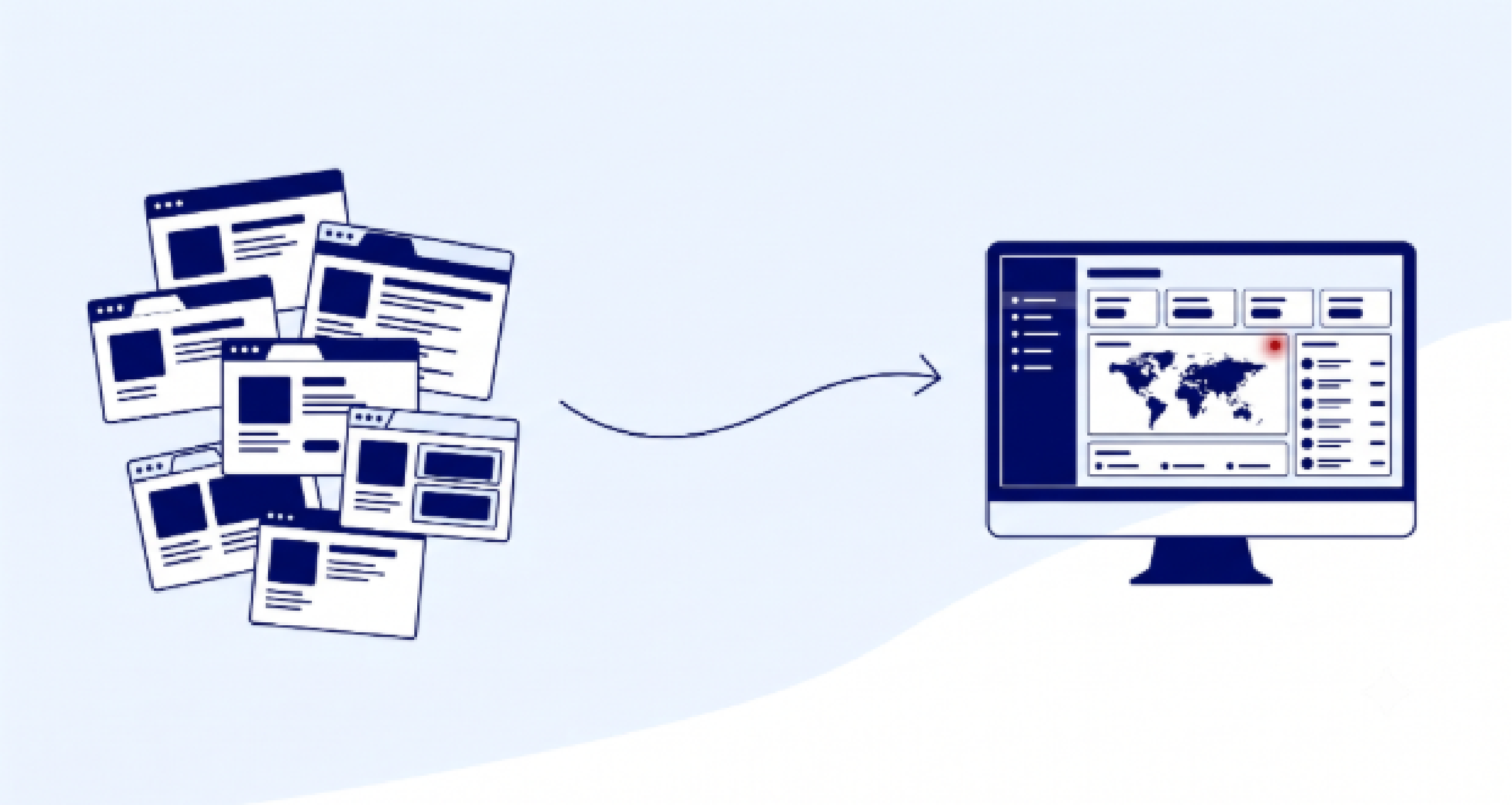
Once you're past a handful of remote sites, monitoring them one Remote Telemetry Unit (RTU) at a time falls apart. You end up with dozens of browser tabs, no single view of your network, and alarms that slip through because nobody was looking at the right screen at the right moment. An alarm master station fixes that by pulling every alarm from every site into one place. The best one for you depends on three things: how many different protocols your equipment speaks, how big your network is and how fast it's growing, and whether you need telecom and utility alarm workflows or general Information Technology (IT) event management.
DPS Telecom has been in remote monitoring since 1986, and more than 1,500 organizations worldwide run our equipment today. That experience is where these criteria come from. They apply no matter which vendor you choose, including the places where a purpose-built telecom master station isn't the right answer.
If you've already decided to centralize and you want the deeper feature checklist, our guide to choosing network alarm management software covers the software side in detail.
An alarm master station is the central server that collects, filters, correlates, and displays alarm data from all the RTUs and remote equipment across your network. Instead of logging into each site one at a time, your team gets one unified view, one place where alerts originate, and one record of what happened.
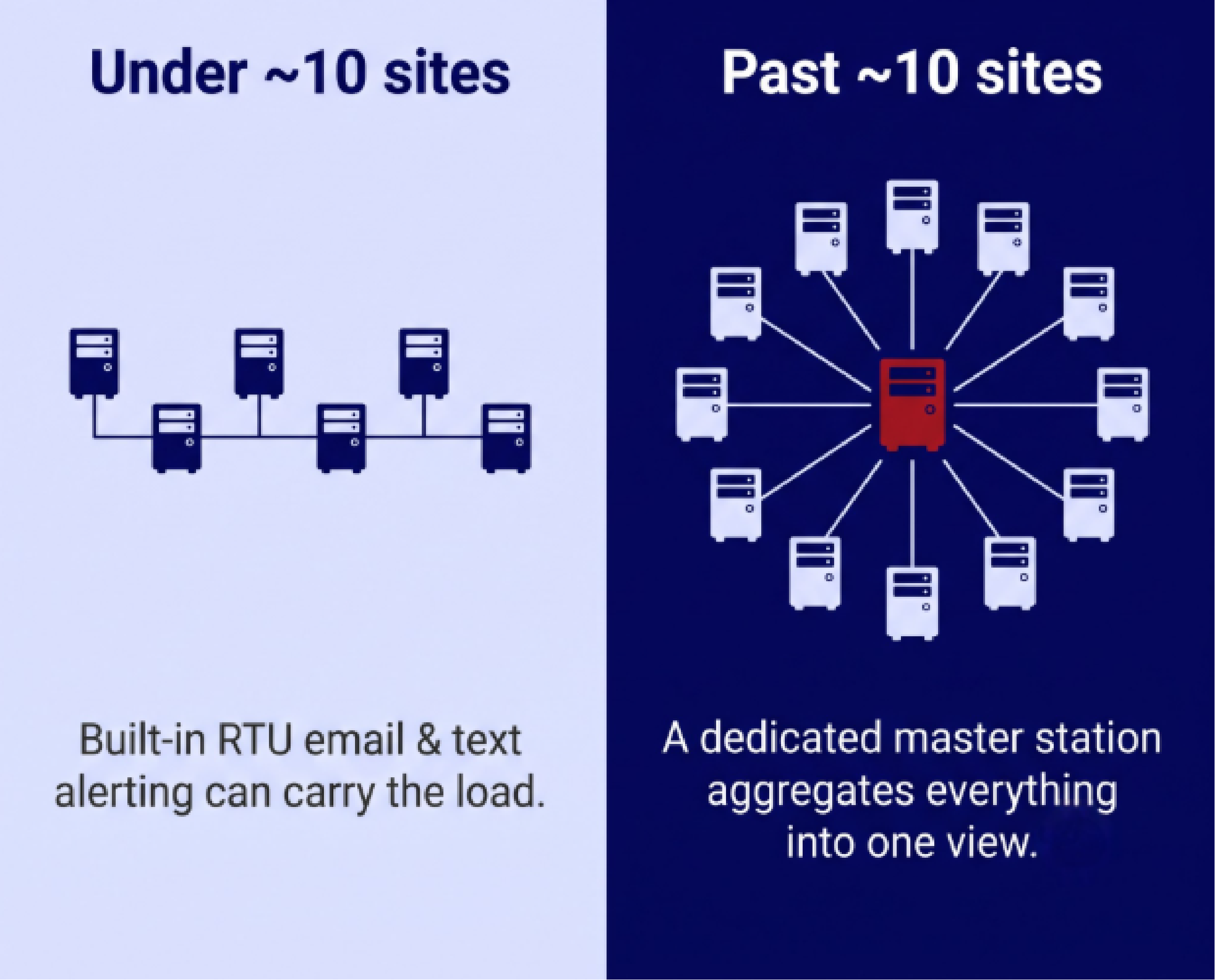
The threshold for needing one is lower than most people expect. As our co-founder and CEO Bob Berry puts it in the book 100% Uptime, a master station "eliminates the need to look at (and manage) each individual RTU." Our rule of thumb is that under roughly ten sites, the built-in email and text alerting on modern RTUs can carry the whole load. Past ten sites, working alarms through individual RTU web interfaces gets cumbersome fast, and a dedicated master station starts to earn its place.
The Information Technology Intelligence Consulting (ITIC) 2024 Hourly Cost of Downtime Survey found that over 90% of mid-size and large enterprises now put a single hour of downtime above $300,000. A master station won't prevent every failure, but it shortens the time between something breaking and the right person knowing about it, which is where most of that cost piles up.
RTUs and master stations do different jobs at different layers.
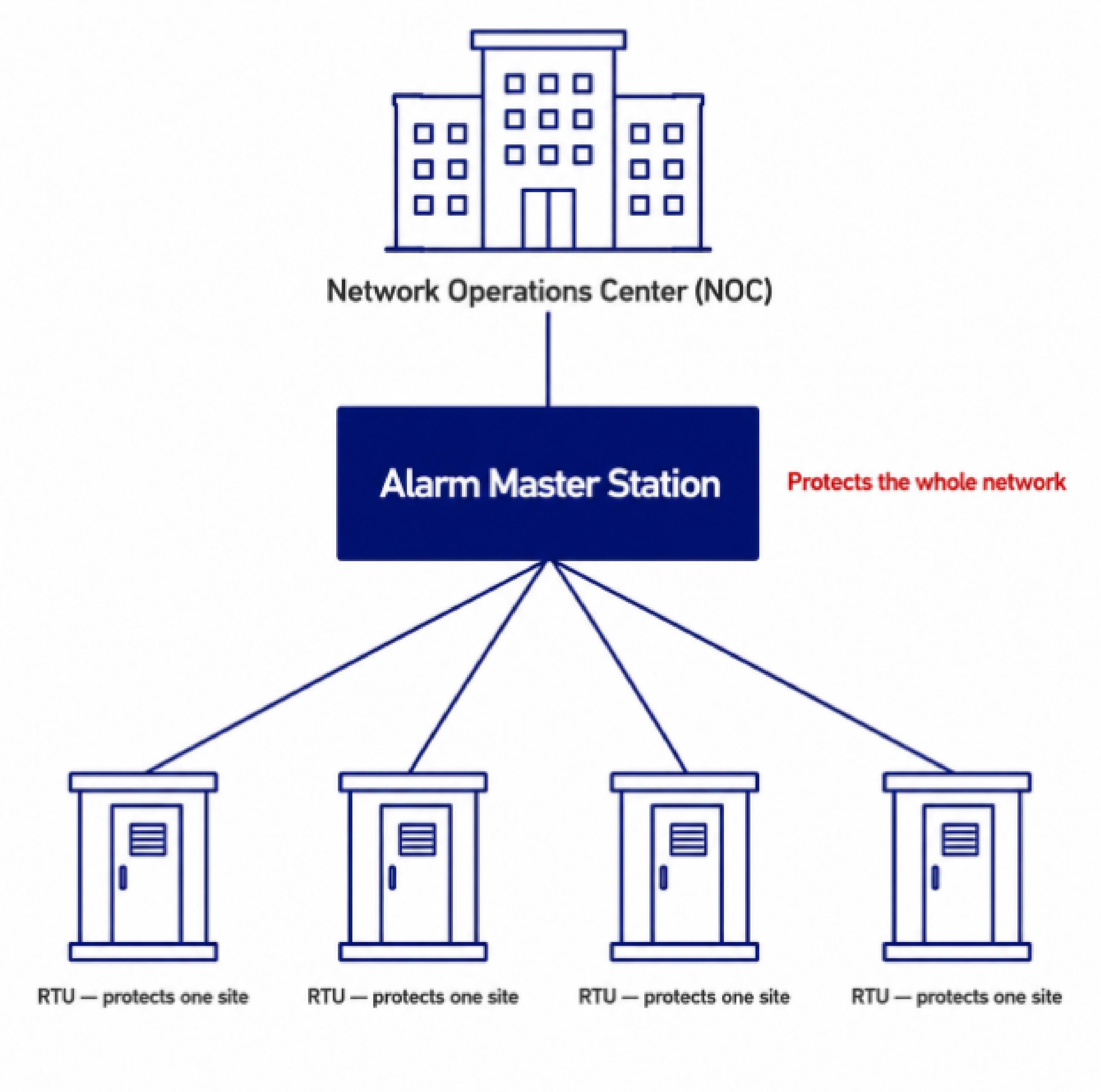
Our NetGuardian RTUs sit in that collection layer and report into T/Mon or into a third-party master station over standard protocols like Simple Network Management Protocol (SNMP). Our RTU overview covers what they monitor and how they report it.
Eight questions settle most of these decisions.
| Criterion | What to look for | Common red flag |
|---|---|---|
| Protocol breadth and mediation | SNMP, Modbus, Distributed Network Protocol 3 (DNP3), Transaction Language 1 (TL1), American Standard Code for Information Interchange (ASCII), contact closures, and older or proprietary formats, plus a path to add protocols | Single-protocol support that forces a parallel system |
| Scale and architecture | Headroom for 10 to 15 years of growth; add capacity without replacing the box | A fixed ceiling that triggers a mid-lifecycle swap |
| Notifications and escalation | Email, text, voice, with routing by severity, time, and on-call schedule | One channel; everyone paged for everything |
| Nuisance and standing alarm handling | Filtering, correlation, derived alarms, ping and heartbeat checks | Raw event passthrough that floods operators |
| Integration with IT and operations systems | Forwards normalized alarms to your existing stack; accepts third-party feeds | Closed system that can't coexist with what you run |
| Presentation and usability | Plain-language descriptions, corrective steps, map drill-down, mobile access | Cryptic codes and long training time |
| Redundancy and failover | Hot standby, geographic diversity, dual power supplies | A single box doing a safety-net job |
| Vendor support and total cost | Custom engineering, training, long-term firmware support | No roadmap, no support for older gear |
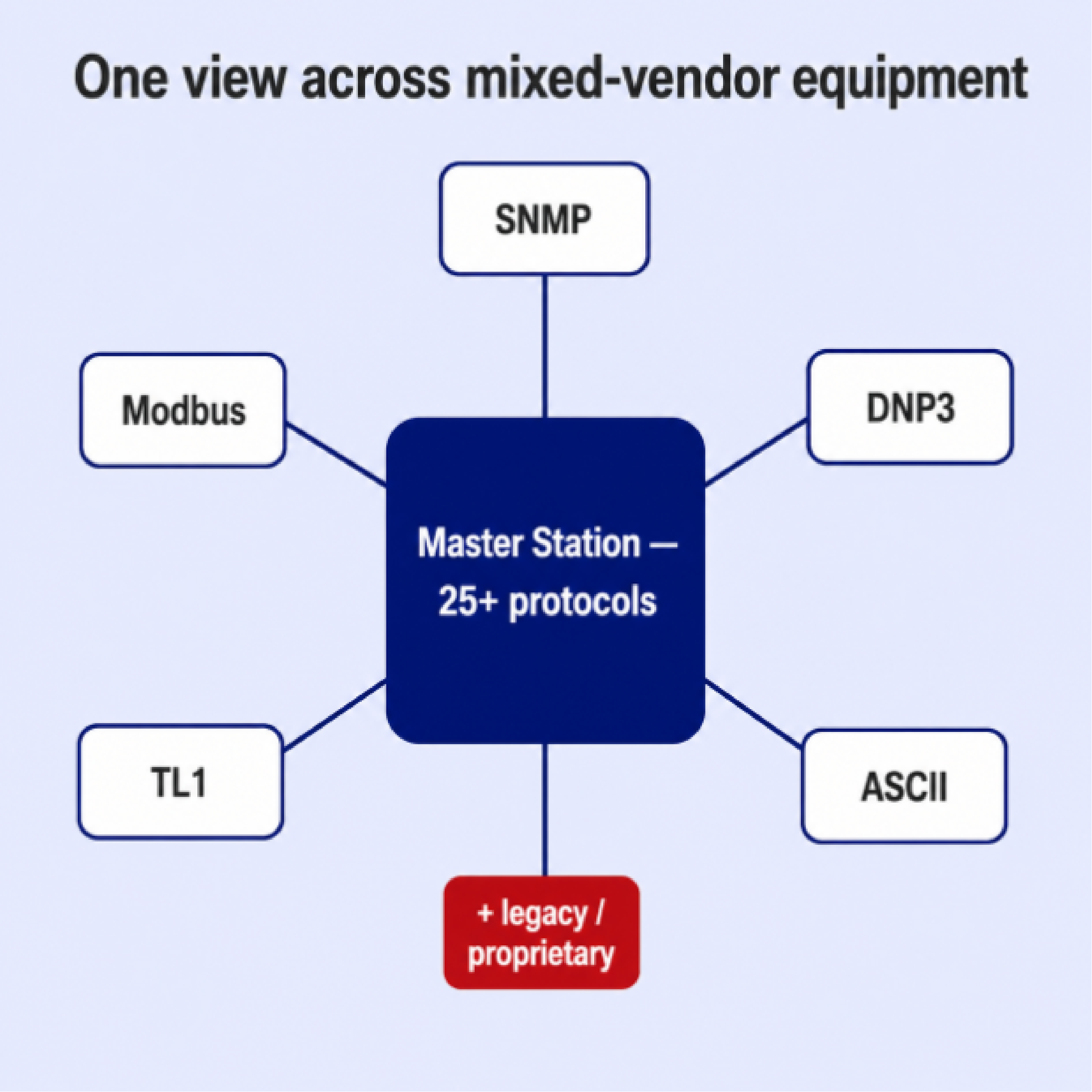
Networks get built over years, across different budgets, with whatever equipment made sense at the time. What you end up with is a mix of devices speaking SNMP, Modbus, DNP3, TL1, ASCII, and a few proprietary formats you may have half-forgotten. A master station that only speaks one protocol can only see the slice of your network that speaks that protocol.
An SNMP manager collects data only from devices that speak SNMP. A multiprotocol master station handles SNMP plus the other formats your older and mixed-vendor equipment uses. T/Mon supports more than 30 protocols today, including SNMP, Modbus, DNP3, TL1, and ASCII, and we add new ones when a client's equipment calls for it.
The practical payoff is a migration path. A capable master station can mediate older gear into a modern format, so you upgrade gradually instead of swapping everything at once. That is the whole point of our multiprotocol alarm monitoring, and Dominion used T/Mon to fold three separate proprietary alarm systems into a single platform while leaving the field equipment in place.
| Factor | Single-protocol SNMP manager | Multiprotocol alarm master station |
|---|---|---|
| Protocol coverage | SNMP only | SNMP plus Modbus, DNP3, TL1, ASCII, and proprietary formats |
| Older and mixed-vendor gear | Often needs a separate tool | Mediated into one display |
| Result | Monitoring in silos | One unified view |
| Migration | Pressure to rip and replace | Gradual, protocol by protocol |
| Best fit | An all-SNMP network | A network built over time with mixed equipment |
Size the master station for where your network will be in a decade, not where it is now. Look at how many alarm points it supports and how many devices it can manage. A master with a low ceiling can force a replacement halfway through its useful life, right when your network has grown enough to depend on it.
T/Mon LNX, our full-capacity master station, supports up to 999,999 alarm points and 9,999 devices, which covers everything from regional operators to large utilities. At the smaller end of our alarm master station lineup, T/Mon SLIM handles up to 64 devices and 10,000 alarm points without charging you for capacity you won't use.
T/Mon is built around high-end server architecture, which fits the large majority of telecom and utility networks. For some of the largest national networks, an enterprise-scale management platform may be the better home for the top layer. Our RTUs still report in cleanly as remote collection points in those cases, so you get DPS field hardware feeding whatever master station makes sense at that scale.
Collecting alarms is only half the job. The other half is getting each alarm to the right person in a form they can act on. Whoever has to fix the problem should be the one who hears about it, and nobody else should be woken up for it. A low-fuel alarm goes to whoever refuels the generators. A security alarm goes to the security team. Paging everyone for everything is its own kind of noise.
Four capabilities do most of the work:
Alarm detail is where a lot of wasted truck rolls come from. Industry estimates that trace back to the Technology and Services Industry Association (TSIA) put the true cost of a single dispatch at close to $1,000, and a meaningful share of those visits are avoidable. Better alarm detail is one of the cheapest ways to cut truck rolls.
When an alarm system cries wolf often enough, operators stop trusting it, and an alarm system nobody trusts won't be able to do its job. The alarm management standard from the American National Standards Institute (ANSI) and the International Society of Automation (ISA), ANSI/ISA-18.2, sets thresholds for how much one operator can absorb. Its alarm system performance metrics treat about 6 alarms per operator-hour as acceptable and about 12 as manageable, with roughly 30 an hour counting as over-demanding. The standard also draws the line for an alarm flood at more than 10 alarms inside any 10-minute window. Once operators are buried past that line, the alarms that actually matter get lost in the noise.
A good master station thins the noise before it reaches your team.
The goal is for the system to fade into the background. Serious alarms should be obvious. Standing alarms, the ones already known and being worked, should stay visible but out of the way so they don't mask new problems.
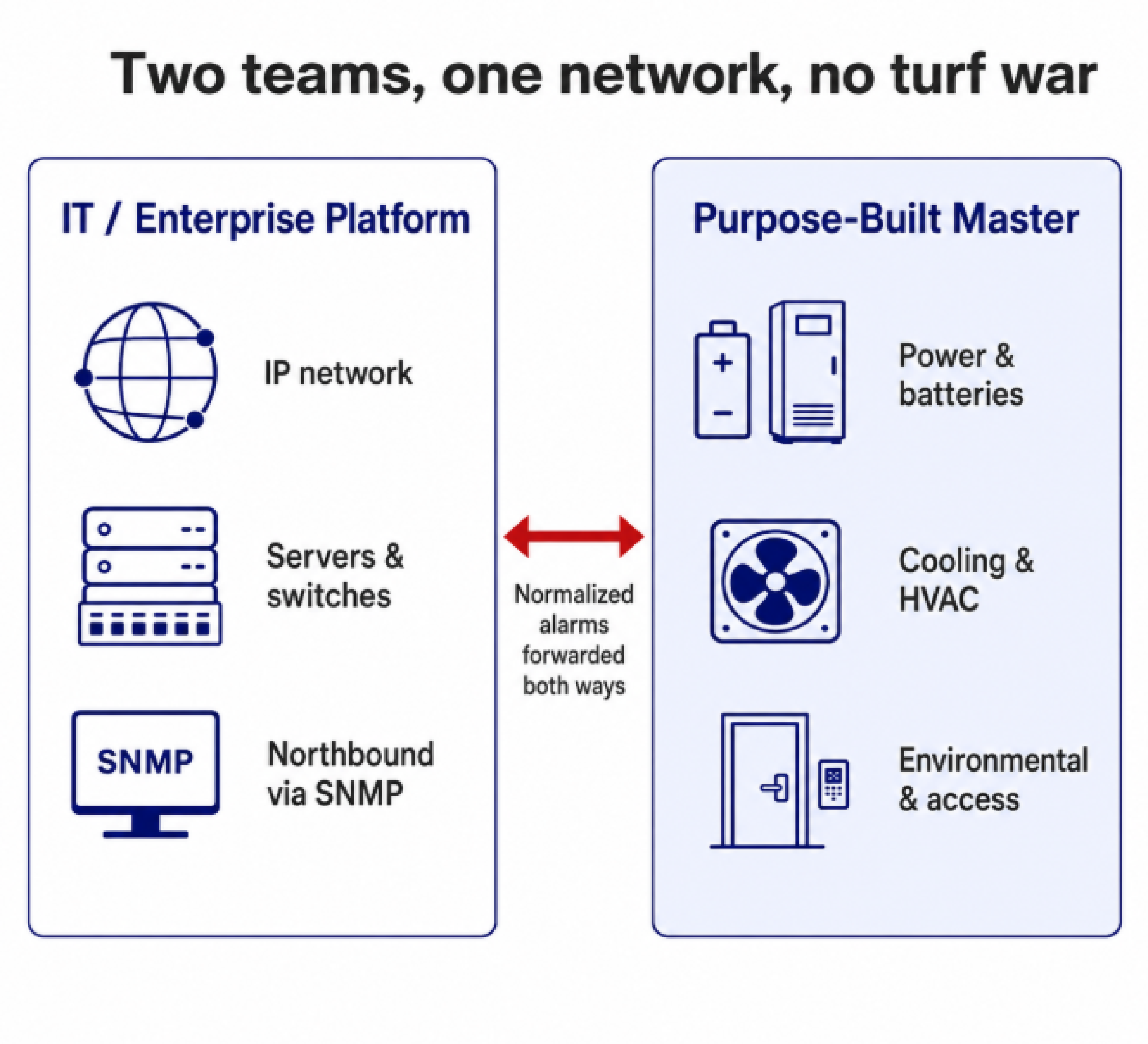
Your master station shouldn't force you to abandon the tools you already run. The better question is how cleanly it coexists with them. A well-designed master station forwards normalized alarms northbound to your Network Management System (NMS), Operations Support System (OSS), or Supervisory Control and Data Acquisition (SCADA) platform, and accepts feeds from third-party devices southbound. SNMP forwarding is a common way to hand alarms up to an existing enterprise platform.
Two teams often split the work. IT might run an enterprise platform for the Internet Protocol (IP) network while facilities or network operations run a dedicated master station for physical infrastructure like power, batteries, cooling systems, and environmental conditions. A master station that integrates well lets both coexist instead of fighting over the same job.
The interface decides whether your team actually uses the system under pressure. Look for plain-language alarm descriptions instead of cryptic codes, and corrective instructions built into the alarm itself, so a newer technician knows what to do without calling a senior colleague. Map-based views help too. Operators can start with a network-wide picture and drill down to a single site to get their bearings fast. Mobile web access matters because alarms don't wait for someone to be at a desk.
Building your response knowledge into the system also protects you when people leave. If the only person who knows what "High Microwave Noise" means is one senior tech, you have a training problem and a continuity risk. Put the instructions in the master station and it stops mattering who's working the alarm.
The master station is your safety net, so it shouldn't become a single point of failure itself. A purpose-built appliance with dual power supplies and a hardened design is generally a better fit for that role than monitoring software running on a general-purpose office computer. For networks where the master station can't go dark, hot-standby redundancy lets a second master station, which can sit in another town, take over if the primary fails.
Support is the criterion buyers underweight and regret most. A master station is a 10-to-15-year relationship, not a one-time purchase. Ask whether the vendor offers custom engineering for the parts of your network that don't fit a standard configuration, whether they train your team, and whether they'll keep supporting older equipment as your network ages. Every DPS product is designed, built, and tested at our own ISO 9001 certified facilities in Fresno, California, with NEBS compliance testing in house for equipment headed into carrier and utility environments. That is also how we keep supporting gear that's been in the field for decades and add protocol support when a client's equipment calls for it.
An SNMP manager sees only the devices on your network that speak SNMP. An alarm master station like T/Mon adds Modbus, DNP3, TL1, ASCII, and proprietary formats on top of SNMP. An all-SNMP network may be fine with a manager. A network assembled over decades in a mix of formats needs a multiprotocol master to get one view across all of it.
Around ten. Below that, the built-in email and text alerting on modern RTUs can serve as your whole monitoring system. Past ten sites, logging into individual RTU interfaces becomes unwieldy, and a central master station that aggregates everything pays off quickly.
Yes. A well-designed master station forwards alarms to an existing NMS or OSS and accepts feeds from third-party devices. A common setup has IT running an enterprise platform for the IP network while operations runs a dedicated master station for power, environmental, and physical-infrastructure alarms.
Not necessarily. A multiprotocol master station can mediate older and proprietary equipment into a modern format, which lets you consolidate monitoring now and upgrade field devices gradually rather than all at once.
It depends on capacity and configuration. A full-capacity master station is a larger investment than a regional-scale unit, and ongoing value comes from support, training, and the protocol coverage that lets one system replace several. Sizing the master station to your real device and alarm-point counts, plus expected growth, is the best way to avoid overpaying or outgrowing it.
The best alarm master station is the one matched to your protocol mix, your scale, and the kind of alarm workflows your team runs. If your network is mostly mixed-vendor telecom or utility gear that needs consolidating, T/Mon is built for exactly that job, and the protocol mediation is usually what decides it. If you operate at national scale, an enterprise platform may take the top layer while DPS RTUs feed it from the field.
If you'd like help sizing a master station to your network, or you want a second opinion on a shortlist, our application engineers are happy to walk through it with you.
Talk to an Engineer | 800-693-0351

Andrew Erickson
Andrew Erickson is an Application Engineer at DPS Telecom, a manufacturer of semi-custom remote alarm monitoring systems based in Fresno, California. Andrew brings more than 19 years of experience building site monitoring solutions, developing intuitive user interfaces and documentation, and opt...